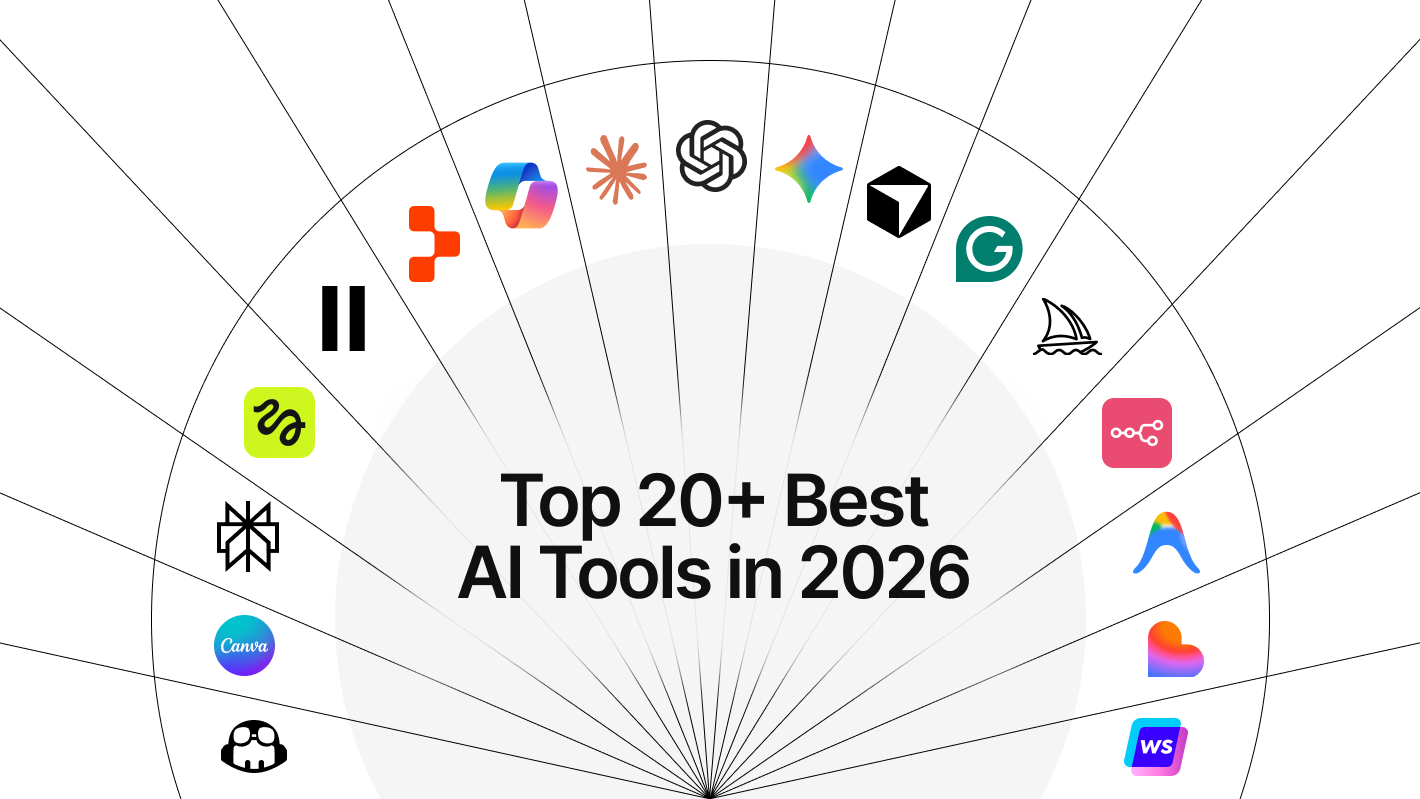
Top 20+ Best AI Tools in 2026: Best AI Apps Free + Paid
25 tools across 5 categories, picked for the job — not the hype ranking.
Nexovah Staff
58d ago · 18 min read
Key Takeaways
- 88% of organizations now use AI in at least one business function (Gartner, 2026).
- 25 tools, grouped into 5 categories by job — not by hype ranking.
- Most paid AI subscriptions converged on $20/month in 2026, making cost less of a differentiator than capability.
- The best stack in 2026 isn't one app — it's one pick per category that matches your actual workflow.
Why We Grouped These Tools by Category
In 2026, 95% of professionals surveyed use AI tools at least weekly (Stack Overflow Developer Survey, 2025-2026 wave). No single app wins at chat, search, coding, and design simultaneously — each tool below was built to be best at one job, not average at ten.
A flat "top 20" list forces you to compare a coding agent against a meeting-notes app, which tells you nothing useful. Grouping by category — the way we’ve organized this guide — means you can skip straight to "Content Writing" or "IDE & Software Development" and compare tools that are actually solving the same problem.
Our finding: The most common failure mode isn't picking a bad tool — it's picking one tool and stopping there. The strongest workflows in 2026 combine one tool per category: a general assistant, a writing tool, a coding agent, and one automation layer.
Quick Picks: Best AI Tool by Category
| Category | Best overall pick | Best free option | Starting price |
|---|---|---|---|
| Best Overall Assistants | ChatGPT | ChatGPT / Claude / Gemini (all free tiers) | Free / $20 |
| Content Writing & Meeting Notes | Notion AI | Copy.ai (2,000 words/mo free) | Free / $10 |
| IDE & Software Development | Claude Code | Cursor (Hobby) / GitHub Copilot (limited) | Free / $10 |
| Image, Video & Creative Work | Canva Magic Studio | Canva (free tier) | Free / $10 |
| Productivity & Automation | Zapier AI | Reclaim.ai (free tier) | Free / $8 |
1. Best Overall AI Assistants
These are the tools most people open first — general chat, reasoning, and AI-powered search that handle 80% of everyday tasks without needing a specialist app.
ChatGPT — Best All-Purpose AI Assistant (Free / $20 Plus / $100 Pro)
As of May 2026, ChatGPT free users get GPT-5.5 Instant by default (OpenAI, 2026), making the free tier good enough for daily writing, research, and Q&A without paying anything. Plus unlocks roughly 150 flagship messages per 3-hour window and about 10 Deep Research runs a month.
Best for: general writing, brainstorming, quick research, custom GPTs. Price: Free / Plus $20/mo / Pro $100/mo.
Claude — Best for Writing, Reasoning, and Long Documents (Free / $20 Pro / $200 Max)
Claude's Pro tier gives 5x more usage than the free tier plus extended thinking mode for harder reasoning tasks (Anthropic, 2026), and the Max tier at $200/month scales that to 20x. That headroom matters most on long documents and multi-step analysis where cheaper models lose the thread.
Our finding: Switching long-form drafting work from a generic chatbot to Claude cut editing passes noticeably — fewer contradictions across a 3,000-word draft.
Best for: long-form writing, document review, coding assistance via Claude Code. Price: Free / Pro $20/mo / Max $200/mo.
Google Gemini — Best for Google Workspace Users (Free / $19.99 AI Pro / $249.99 Ultra)
Google doubled Google AI Pro's cloud storage from 2TB to 5TB in April 2026 at no added cost (Google, 2026), stacking extra value onto a plan that already embeds Gemini directly into Docs, Gmail, and Sheets.
Best for: Workspace-native drafting, email summarization, spreadsheet analysis. Price: Free / AI Pro $19.99/mo / AI Ultra $249.99/mo.
Perplexity — Best AI Search Engine
In 2026, 37% of consumers now start their searches with an AI tool instead of a traditional search engine (survey data, 2026), and Perplexity is the tool built specifically for that shift. Its Pro tier ($20/month) layers access to GPT-4o, Claude, and Gemini on top of live web search with cited sources.
Best for: research with citations, fact-checking, competitive research. Price: Free / Pro $20/mo.
Microsoft Copilot — Best for Microsoft 365 Users (Free / $20 Pro / $30/user for orgs)
Microsoft 365 Copilot crossed 20 million paid enterprise seats by Q3 FY2026, up from 15 million the prior quarter (Microsoft earnings, 2026), with 100 million+ monthly active users across all Copilot surfaces including the free chat tier.
Best for: Microsoft 365-native drafting, Excel formula help, Outlook summarization. Price: Free (chat) / Copilot Pro $20/mo (personal) / Microsoft 365 Copilot $30/user/mo (business, annual commitment).
2. Content Writing, Social Writing & Meeting Notes
This group covers everyday writing correction, marketing-grade copy at scale, structured notes, and live meeting transcription — jobs a general chatbot handles adequately but not exceptionally.
Grammarly — Best AI Writing Assistant for Everyday Use
Grammarly remains the most widely installed AI writing tool because it works everywhere you already type — email, Slack, Google Docs — rather than requiring you to copy text into a separate app. Its free tier covers grammar and clarity; paid tiers add tone rewriting and plagiarism checks.
Best for: everyday writing correction across every app you use. Price: Free / Premium ~$12/mo.
Jasper AI — Best for Brand-Consistent Marketing Content
Jasper in 2026 runs as a governed marketing system with Jasper IQ for brand voice and knowledge, Content Pipelines for campaign-scale automation, and built-in AI Agents for execution (Jasper, 2026). Pricing starts around $39/mo (Creator plan, annual), with Jasper Art included on all plans. There’s no free tier, but a 7-day trial covers testing.
Best for: brand-voice-consistent marketing copy at team scale. Price: No free tier (7-day trial) / Creator ~$39/mo / Pro ~$59/mo (5 seats).
Copy.ai — Best Free AI Writing Tool for Sales & GTM Copy
Copy.ai's free plan includes 2,000 words per month and access to 90+ templates with no credit card required (Copy.ai, 2026) — the most generous free allowance among dedicated marketing-copy tools on this list. Its GTM workflow builder also connects AI content generation directly to CRM and outreach sequences.
Best for: sales copy, GTM workflow automation, teams wanting a real free tier. Price: Free (2,000 words/mo) / paid plans $0-49/mo.
Notion AI — Best for Notes and Docs (Add-on $10/member/mo)
Notion restructured its AI pricing in 2025 so Free and Plus plans only get a one-time AI trial; full access now requires Business/Enterprise or the $10/member/month add-on (Notion, 2025). Once active, it turns scattered notes into structured docs, meeting summaries, and project trackers without leaving your workspace.
Best for: teams already using Notion for docs and project management. Price: Add-on $10/member/mo (requires paid Notion plan).
Otter.ai — Best AI Meeting Assistant
Otter.ai transcribes and summarizes live meetings in real time, auto-generating action items so nobody has to take notes manually. It integrates with Zoom, Google Meet, and Microsoft Teams directly.
Best for: meeting transcription, action-item tracking, remote teams. Price: Free (limited minutes) / Pro ~$10/mo.
3. IDE & Software Development
With 91% of engineering organizations now using at least one AI coding tool, and the market projected to grow from $5.5B (2024) to $47.3B by 2034 (industry market data, 2026), this is the fastest-moving category on the list.
GitHub Copilot — Best AI Coding Assistant for Teams (Free / $10 Individual / $19 Business)
GitHub Copilot remains one of the two clear market leaders among developers by adoption, according to the 2025 Stack Overflow Developer Survey. It's the safest default for teams already inside the GitHub/VS Code ecosystem.
Best for: inline code completion, PR review assistance, teams on GitHub. Price: Free (limited) / Individual $10/mo / Business $19/user/mo.
Claude Code — Best AI Agent for Serious Coding Work
Released in May 2025, Claude Code went from zero to the #1 primary coding tool selection among surveyed developers within eight months, with Claude Code and Cursor together accounting for over half of primary-tool picks in 2026 (Digital Applied developer survey, 2026).
Our finding: Agent-style coding tools (Claude Code, Cursor, Windsurf) are displacing simple autocomplete tools for anything beyond single-file edits — the shift is toward tools that can plan and execute multi-file changes, not just suggest the next line.
Best for: multi-file refactors, terminal-native workflows, autonomous coding tasks. Price: Usage-based via Claude Pro/Max or API.
Cursor — Best AI-Native Code Editor
Cursor sits alongside Claude Code at the top of developer tool preference in 2026 (Digital Applied survey data, 2026), built as a full IDE fork rather than a plugin — giving it deeper access to project context than editor extensions.
Best for: developers who want an AI-first editor, not an add-on to an existing one. Price: Free (Hobby) / Pro $20/mo.
Windsurf — Best Agentic IDE for Enterprise Teams
Windsurf has grown to 1 million+ users and 4,000+ enterprise customers, and topped the LogRocket AI Dev Tool Power Rankings ahead of Cursor and GitHub Copilot in 2026 (LogRocket rankings, 2026). Cognition AI's 2025 acquisition of Windsurf brought the Devin autonomous-agent team in-house. Pricing restructured in March 2026: Pro moved from $15 to $20/mo, with a new $200 Max tier.
Best for: enterprises wanting a polished agentic IDE with cloud-session support. Price: Free tier / Pro $20/mo / Max $200/mo.
Replit Agent — Best for Building Full Apps from a Prompt
Replit Agent belongs to the autonomous cloud-agent category alongside Devin and Lovable — you describe an app and it scaffolds, writes, and deploys it end-to-end. Replit's revenue reportedly grew 10x in the nine months following Agent's launch, a strong signal of real usage rather than novelty (industry reporting, 2026).
Best for: non-developers or fast prototypers building a full app from a text prompt. Price: Free tier / paid plans scale with compute usage.
Antigravity — Best for Multi-Agent, Multi-Model Development
Google Antigravity gives you Gemini, Claude, and GPT in one IDE instead of paying for each separately, with a dedicated interface to spawn, orchestrate, and observe up to 5 parallel agents working asynchronously across workspaces (Google Developers Blog, 2026). Antigravity 2.0, launched at Google I/O 2026, added a desktop app, CLI tool, and SDK for custom workflows, plus built-in browser testing and MCP integration.
Best for: orchestrating multiple AI agents across one project, multi-model workflows without separate subscriptions. Price: Free tier / AI Pro $20/mo / AI Ultra $200/mo.
4. Image, Video & Creative Work
Creative AI split into clear specialists in 2026: one tool per medium (image, all-in-one design, audio-edited video, video generation, voice) rather than one tool trying to do all of them.
Midjourney — Best AI Image Generator
Midjourney remains a top pick for anyone who needs high-quality, stylized image generation, competing directly with tools named alongside ChatGPT, Claude, and Gemini in 2026 best-AI-apps roundups. It runs through Discord or its web app rather than a standalone desktop client.
Best for: marketing visuals, concept art, social media graphics. Price: Plans start around $10/mo (no free tier).
Canva Magic Studio — Best All-in-One AI Design Tool (Free / Pro ~$15/mo)
Canva's Magic Studio bundles AI image generation, background removal, and text-to-design directly into the editor most non-designers already know how to use. The free tier covers casual use; Pro unlocks brand kits and higher-resolution exports.
Best for: social graphics, presentations, non-designers who need polished output fast. Price: Free / Pro ~$15/mo.
Descript — Best AI Video and Podcast Editor
Descript edits video and audio by editing the transcript text — delete a sentence in the doc, and it cuts the corresponding clip automatically. That single feature removes most of the manual timeline-scrubbing that makes video editing slow for non-editors.
Best for: podcast editing, video content, removing filler words automatically. Price: Free (limited) / Creator ~$12/mo.
Runway — Best AI Video Generation Tool
Runway's Standard plan starts at $12/month with 625 credits — roughly 125 seconds of Gen-3/Gen-4 video — while the Pro plan at $28/month adds more credits and higher resolution options (Runway, 2026). A typical short AI film in 2026 combines Runway for footage with a voice tool for narration, costing $60-175 total for a 3-minute piece.
Best for: text-to-video generation, short-form AI film production. Price: Standard $12/mo / Pro $28/mo / Unlimited $76/mo.
ElevenLabs — Best AI Voice Generation Tool
ElevenLabs offers seven pricing tiers from Free (10,000 credits) up to Business at $990/month, with the Creator tier at $22/month covering 121,000 credits (ElevenLabs, 2026) — enough for most solo creators doing narration, dubbing, or voice cloning work.
Best for: voiceover narration, multilingual dubbing, podcast/video voice tracks. Price: Free / Starter $6/mo / Creator $22/mo / Pro $99/mo.
Higgsfield — Best for Cinematic AI Video with Director-Style Controls
Higgsfield aggregates 15+ video models — Sora 2, Veo 3.1, Kling 3.0, WAN 2.6, Seedance 2.0, and others — under one subscription, with 70+ camera presets (Bullet Time, Crash Zoom, 360 Rotation) aimed at creators who want directorial control over AI video (Higgsfield, 2026). Its Marketing Studio can turn a product URL into a ready-to-export ad video automatically.
Best for: multi-model video generation, ad creative, directorial camera control. Price: Starter $15/mo / Plus $39/mo / Ultra $99/mo (annual, credit-based).
HeyGen — Best for AI Avatar & Talking-Head Video
HeyGen's free plan covers 3 videos per month with a watermark, while Creator at $29/month unlocks unlimited avatar videos up to 30 minutes long plus 200 monthly premium credits (HeyGen, 2026). Avatar IV, its most advanced digital-twin feature, consumes 20 credits per minute of video.
Best for: talking-head explainer videos, digital avatars, lip-synced translation. Price: Free (3 videos/mo) / Creator $29/mo / Pro $99/mo / Business $149/mo + $20/seat.
Suno — Best AI Music Generation Tool
Suno's free plan renews 50 credits daily for non-commercial use, while Pro at $10/month (or $8/month annual) unlocks 2,500 credits, commercial use rights, and the Song Editor with stem separation (Suno, 2026). One full song generation costs roughly 5 credits, so Pro covers about 500 songs a month.
Best for: full song generation, background music for video, commercial-use tracks. Price: Free (50 credits/day) / Pro $10/mo / Premier $30/mo.
5. Productivity & Automation
This is where AI stops being a chat window and starts running the background logistics of your work — building decks, chaining app workflows, and defending calendar time automatically.
Gamma — Best AI Presentation Builder
Gamma turns a prompt or outline into a full slide deck, doc, or webpage in minutes, cutting presentation-building time from hours to single-digit minutes for straightforward decks.
Best for: quick decks, pitch documents, internal reports. Price: Free (limited) / Plus ~$10/mo.
Zapier AI — Best No-Code AI Automation Platform
Zapier lets you chain AI steps into multi-app workflows without writing code — pull a lead from a form, summarize it with AI, push it to a CRM, notify a Slack channel. It remains the widest-integration option for connecting AI output to the rest of your stack.
Best for: connecting AI output to hundreds of other business tools. Price: Free tier available / paid plans scale with task volume.
Gumloop — Best AI Automation Tool for Custom Workflows
Gumloop takes a more visual, node-based approach to AI automation than Zapier, aimed at teams building custom multi-step AI pipelines rather than simple app-to-app triggers.
Best for: custom AI pipelines, teams wanting more control than a simple trigger-action model. Price: Free tier available / paid plans scale with usage.
Motion — Best AI Calendar for Fully Automated Scheduling
Motion's Pro AI plan costs $19/month ($12.73/month billed annually, no free plan) and includes 7,500 AI credits per seat per month (Motion pricing, 2026). With Motion, you hand over scheduling judgment entirely — add tasks and deadlines, and it decides when you work on them.
Best for: people who want the AI to fully own their calendar, not just suggest times. Price: No free tier (7-day trial) / Pro $19/mo / Business $29/seat/mo.
Reclaim.ai — Best Free AI Calendar Tool
Reclaim.ai's four tiers run Free, Plus ($8/user/mo), Business ($12/user/mo), and custom Enterprise (Reclaim.ai, 2026) — the most accessible entry point among AI scheduling tools. Unlike Motion, Reclaim keeps you in control of what to prioritize; the AI defends the time blocks you set rather than deciding for you.
Best for: budget-conscious users who want scheduling help without losing control. Price: Free / Plus $8/user/mo / Business $12/user/mo.
Monthly Pricing Compared: What Paid AI Tools Actually Cost
Most mainstream AI subscriptions converged on roughly $20 per month in 2026 — ChatGPT Plus, Claude Pro, Perplexity Pro, Cursor Pro, and Windsurf Pro all sit at or near the same price point, while task-specific tools like GitHub Copilot and Reclaim.ai run cheaper.
| Tool | Monthly price |
|---|---|
| Jasper Creator | $39 |
| Runway Pro | $28 |
| ElevenLabs Creator | $22 |
| ChatGPT Plus | $20 |
| Claude Pro | $20 |
| Cursor Pro | $20 |
| Windsurf Pro | $20 |
| Gemini AI Pro | $19.99 |
| Motion Pro | $19 |
| Grammarly Premium | $12 |
| GitHub Copilot Individual | $10 |
| Reclaim.ai Plus | $8 |
That clustering matters: when the biggest names cost roughly the same $20/month, capability and integration — not price — become the real decision factor.
Enterprise AI Adoption Is Still Climbing
Firm-level AI adoption isn't slowing down. OECD data shows global adoption climbing steadily, and Deloitte's 2026 State of AI report confirms enterprise adoption grew 50% in 2025 alone (Deloitte, 2026).
| Year | Firms using AI |
|---|---|
| 2023 | 8.7% |
| 2024 | 14.2% |
| 2025 | 20.2% |
| 2026 (estimate) | ~28% |
Latest AI News Shaping the 2026 Tool Landscape
A handful of 2026 announcements directly reshaped this list. OpenAI added a $100/month Pro tier in April 2026, widening the gap between casual and power users. Google doubled AI Pro storage to 5TB the same month without raising the price. Microsoft 365 Copilot crossed 20 million paid enterprise seats in Q3 FY2026, up from 15 million the prior quarter. Windsurf overhauled its pricing structure in March 2026, retiring credits for daily/weekly quotas and adding a $200 Max tier following Cognition AI's acquisition of the company.
Following AI news like this matters because pricing and feature tiers shift fast — a tool ranked mid-pack in January can jump the list by mid-year on a single pricing change or model upgrade.
Our finding: The tools gaining ground fastest in 2026 aren't the ones with the flashiest new model — they're the ones that shipped a concrete workflow improvement (Claude Code's agentic terminal use, Replit Agent's full-app scaffolding, Reclaim's calendar defense) rather than a marginally better chat response.
Common Mistakes When Choosing an AI Tool
- Subscribing to five overlapping chatbots. If ChatGPT, Claude, and Gemini all sit unused in different browser tabs, you're paying $60/month for redundancy, not capability. Pick one general assistant and commit.
- Ignoring the free tier's real capability. In 2026, free tiers across ChatGPT, Claude, Perplexity, and Copy.ai are genuinely production-viable for everyday writing and research. Don't default to a paid plan before testing whether free covers your actual usage pattern.
- Choosing a tool by hype instead of category fit. A tool ranked #1 on a "best AI apps" list might be optimized for coding, not writing. Match the tool to its category, not the overall ranking.
- Skipping the specialist categories entirely. General chatbots handle text well but struggle with live meeting transcription (Otter), transcript-based video editing (Descript), voice generation (ElevenLabs), or calendar defense (Reclaim). These jobs need purpose-built tools, not a chatbot workaround.
How Should You Pick an AI Tool Stack in 2026?
Two-thirds (66%) of organizations report productivity gains from AI adoption, but only when the tools match the actual workflow rather than getting picked by hype (enterprise AI adoption data, 2026). Start with one tool per category above: a general assistant, a writing or notes tool, a coding agent if you build software, one creative tool if you produce visual or audio content, and one automation layer.
Rotating five overlapping chatbots wastes more time than it saves. Pick one pick per category — that’s the whole stack for most people.
Conclusion
The AI tool landscape in 2026 isn't about finding one app to rule everything — it's picking the right specialist per category: an assistant for chat and search, a writing tool for content, a coding agent if you build software, a creative tool for visuals or audio, and an automation layer to tie it together.
Bookmark this page — with pricing and model updates shipping monthly in 2026, this ranking gets revisited as the AI news changes.
FAQ
The top 10 by adoption and capability are ChatGPT, Claude, Google Gemini, Perplexity, Microsoft Copilot, Notion AI, GitHub Copilot, Claude Code, Cursor, and Canva Magic Studio. Each was picked for a distinct job — chat, search, docs, or coding — not general popularity alone.
Published in The Nexovah Blog
Written by Nexovah Staff